Silence remover for Premiere Pro
Cut every silence in one click
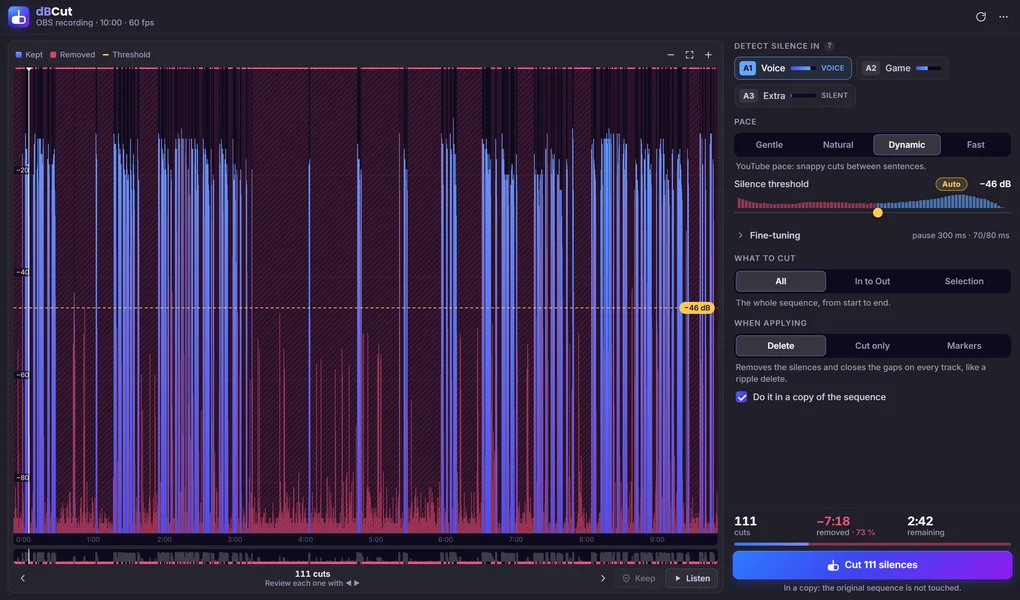
dBCut is a panel for Adobe Premiere Pro. It finds every pause in your sequence and shows each one on the waveform. You listen to the result and then cut them all in one click.
- One-time purchase
- No subscription
- Windows 10/11 (64-bit)
- Premiere Pro 2026 or newer
- cuts
- 111
- removed · 73 %
- −7:18
- remaining
- 2:42
How it works
Analyze, review, cut
Open your sequence in Premiere Pro and click Analyze.
Choose a pace, and review the cuts if you want.
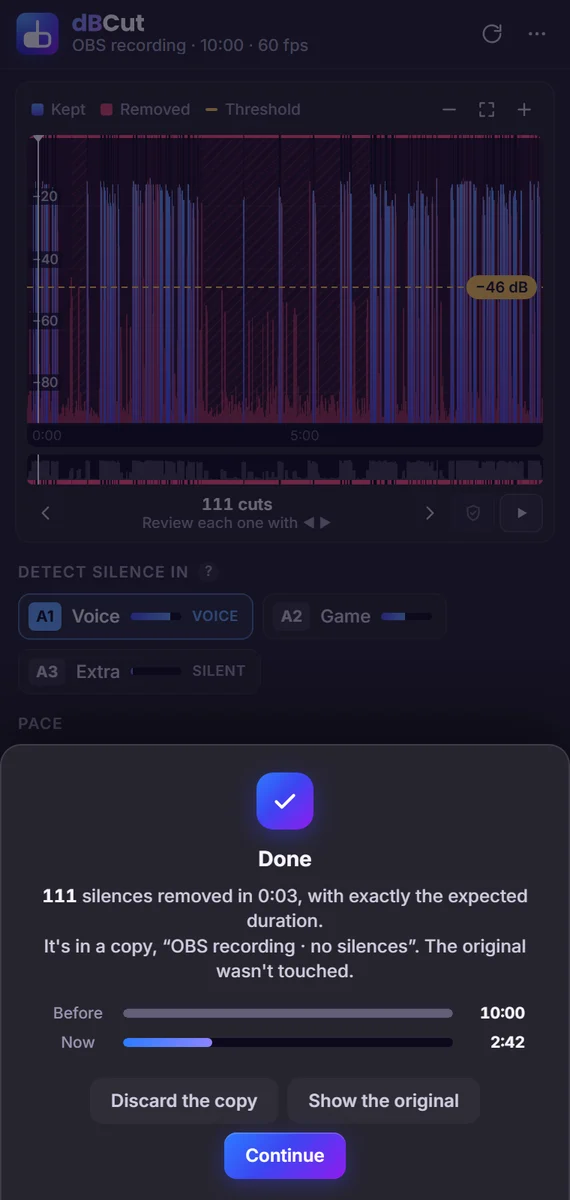
Click Cut. Done.
Review
Review before you cut
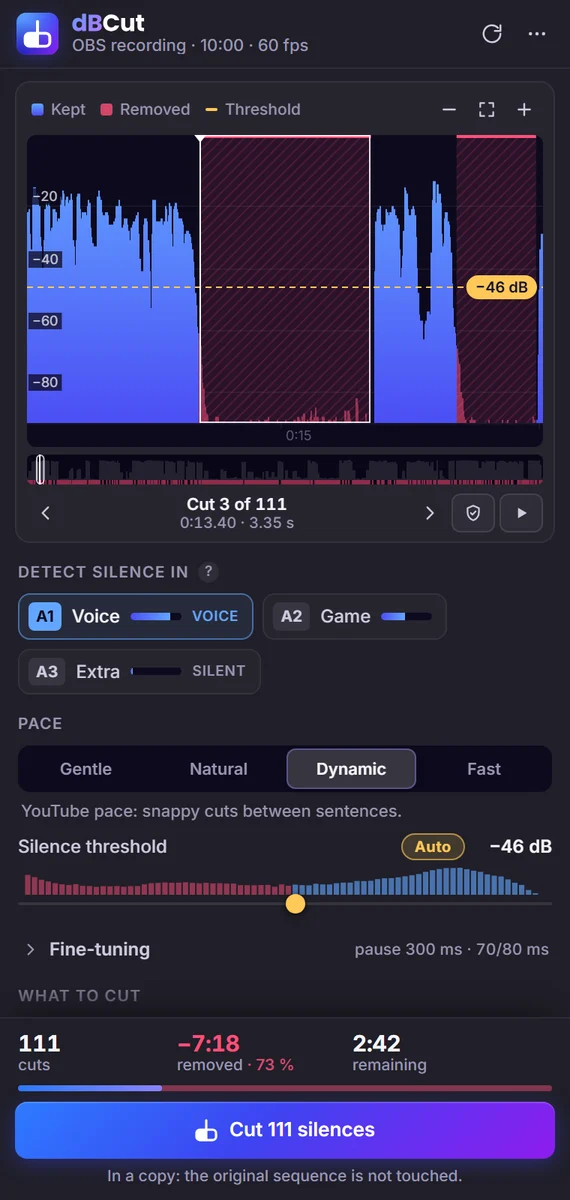
Every silence shows up on the waveform. You see and hear each cut before applying it.
- Left arrowRight arrowJump between cuts with the arrow keys.
- SpacePress Space to hear how the cut will sound.
- CPress C to keep any pause you want to keep.
Pace
Pick your pace
Choose Gentle, Natural, Dynamic (YouTube pace) or Fast. The silence threshold is calculated from your own audio.
The same 10-minute recording with each pace
Silence thresholdAuto−46 dB
-
Gentle
Only removes long pauses. Relaxed pace.
pause 800 ms · 200/300 ms
- cuts
- 86
- remaining
- 3:21
-
Natural
Removes the pauses without the cut being noticeable.
pause 500 ms · 120/180 ms
- cuts
- 99
- remaining
- 3:00
-
Dynamic
YouTube pace: snappy cuts between sentences.
pause 300 ms · 70/80 ms
- cuts
- 111
- remaining
- 2:42
-
Fast
No breathing room: each sentence runs into the next.
pause 180 ms · 40/50 ms
- cuts
- 120
- remaining
- 2:34
Fine-tuning. Fine-tune the minimum pause and the margins before and after speech, so no syllable gets clipped.
Multi-track
Made for multi-track recordings
Choose which tracks to listen to (your mic, not the game or the music). The cuts are applied to every track, so nothing goes out of sync.
Apply
Three ways to apply
- Delete
- Removes the silences and closes the gaps on every track, like a ripple delete.
- Cut only
- Only cuts (razor) at the start and end of each silence. Nothing is removed: you review it.
- Markers
- Puts a red marker over each silence. No clip is touched.
Safe by default
dBCut works on a copy of your sequence, and one click on Undo brings everything back.
Do it in a copy of the sequence
In a copy: the original sequence is not touched.
What to cut
Cut only what you need
Work on the whole sequence, between your In and Out points, or only on the selected clips.
Offline
Private and offline
The audio is analyzed on your computer with the included FFmpeg. Your media never leaves it, and the second analysis of the same sequence is instant.
- FFmpeg is included: nothing else to install
- Your media never leaves your computer
- The second analysis is instant
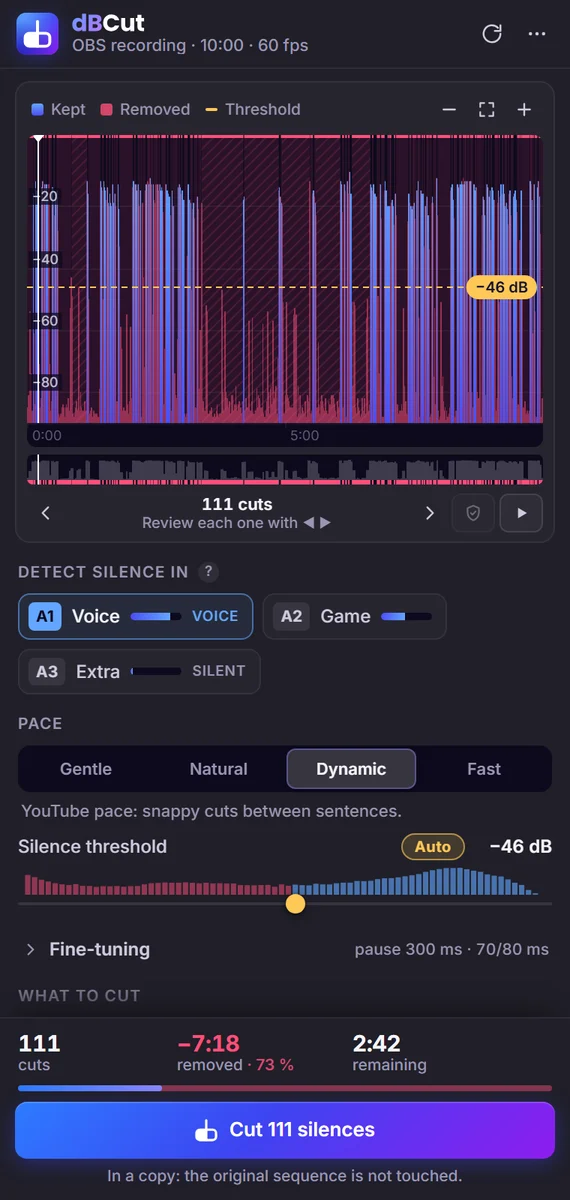
4 languages
English, Español, Português, Deutsch
dBCut follows Premiere's language, and you can switch it any time.
-
English -
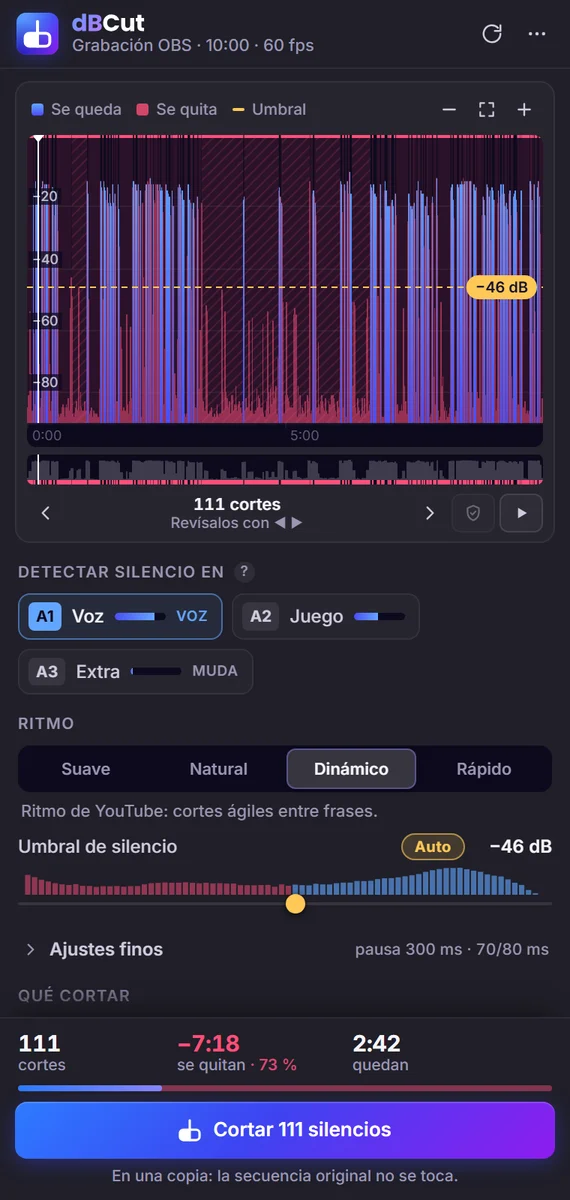
Español -
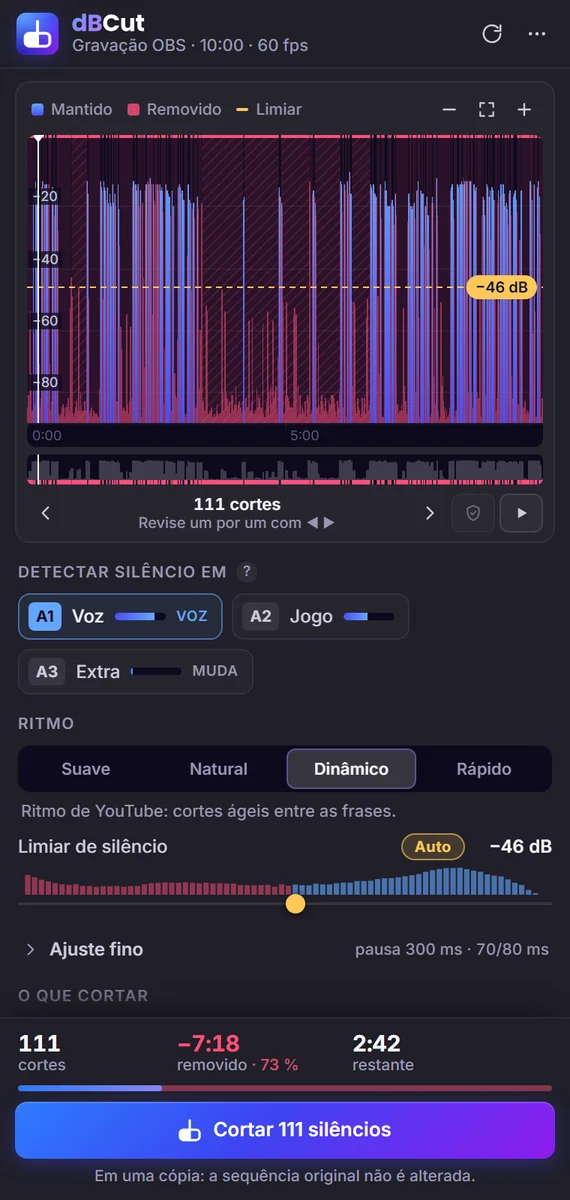
Português (Brasil) -
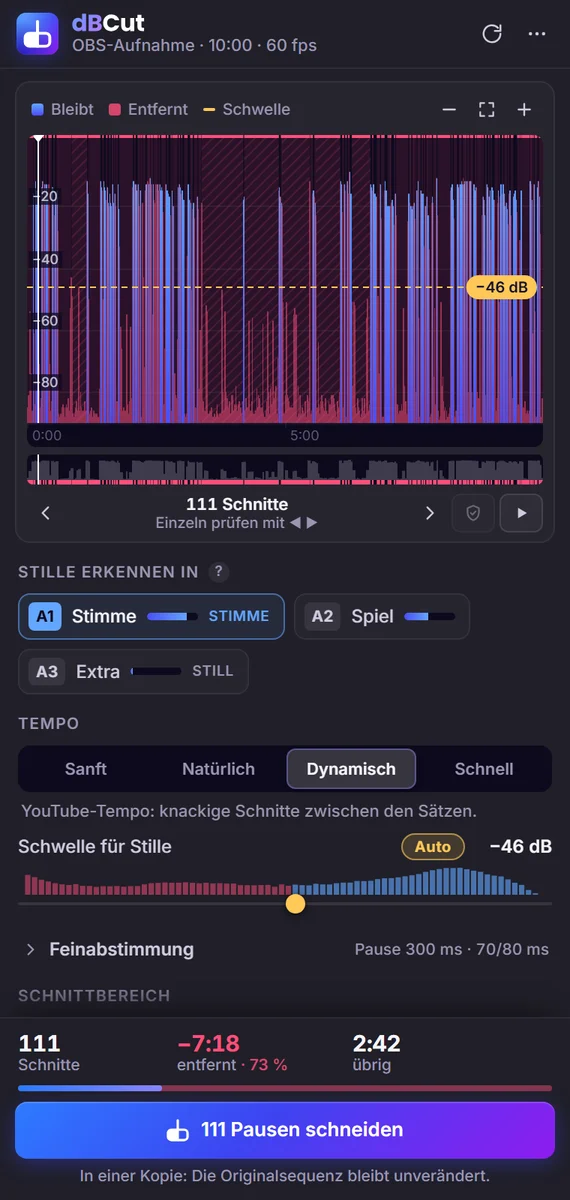
Deutsch
Pricing
Pay once, and it's yours
dBCut
$6.99
one-time purchase · no subscription
- License for 2 computers
- No account needed
- Windows 10/11 (64-bit) · Premiere Pro 2026 or newer
14-day refund. See the refund policy.
Payment is processed by Lemon Squeezy, our reseller.
Requirements
- Windows 10 or 11 (64-bit). Not available for macOS.
- Adobe Premiere Pro 2026 or newer.
- An internet connection to activate your license, once per computer.
What you get
- A ZIP file with a one-click installer. It needs no administrator rights and includes the signed
.zxpand quick guides in English, Spanish, Portuguese and German. - A license key for 2 computers, sent by email. You can move it to another computer any time.
Is it a subscription?
No. You pay once ($6.99) and the license is yours.
Does it work on Mac?
Not yet. dBCut is Windows-only for now.
Which Premiere Pro versions does it support?
Premiere Pro 2026 or newer, on Windows.
On how many computers can I use it?
On 2 computers at the same time. To move your license, open dBCut › ⋯ › License… › Deactivate on this computer, then activate it on the new one.
Does it upload my video or audio anywhere?
No. The analysis runs entirely on your computer. dBCut only contacts the license server to activate and check your license (about once a week), and it sends nothing but your license key and a name for the computer.
Do I need to be online?
Only to activate. After that, dBCut keeps working offline for up to 30 days between license checks.
Will it mess up my edit?
By default dBCut cuts a copy of your sequence and leaves the original as it was. You can also undo any cut from the panel.
My recording has voice and game audio on separate tracks. Does it work?
Yes. That's what it's built for. Choose the voice track for detection, and the cuts are applied to all tracks in sync.
Do I need to install FFmpeg?
No. It's included.
Windows says “Windows protected your PC” when I run the installer.
That's normal for small independent apps. Click “More info” › “Run anyway”. The installer only copies dBCut into your own Premiere Pro extensions folder.
I lost my license key.
It's in your purchase email and on your Lemon Squeezy My Orders page.
Can I get a refund?
Yes, within 14 days of purchase. See the refund policy.
Remove the silences from your Premiere Pro edits in seconds.
$6.99 · one-time purchase · no subscription